Know what is due next
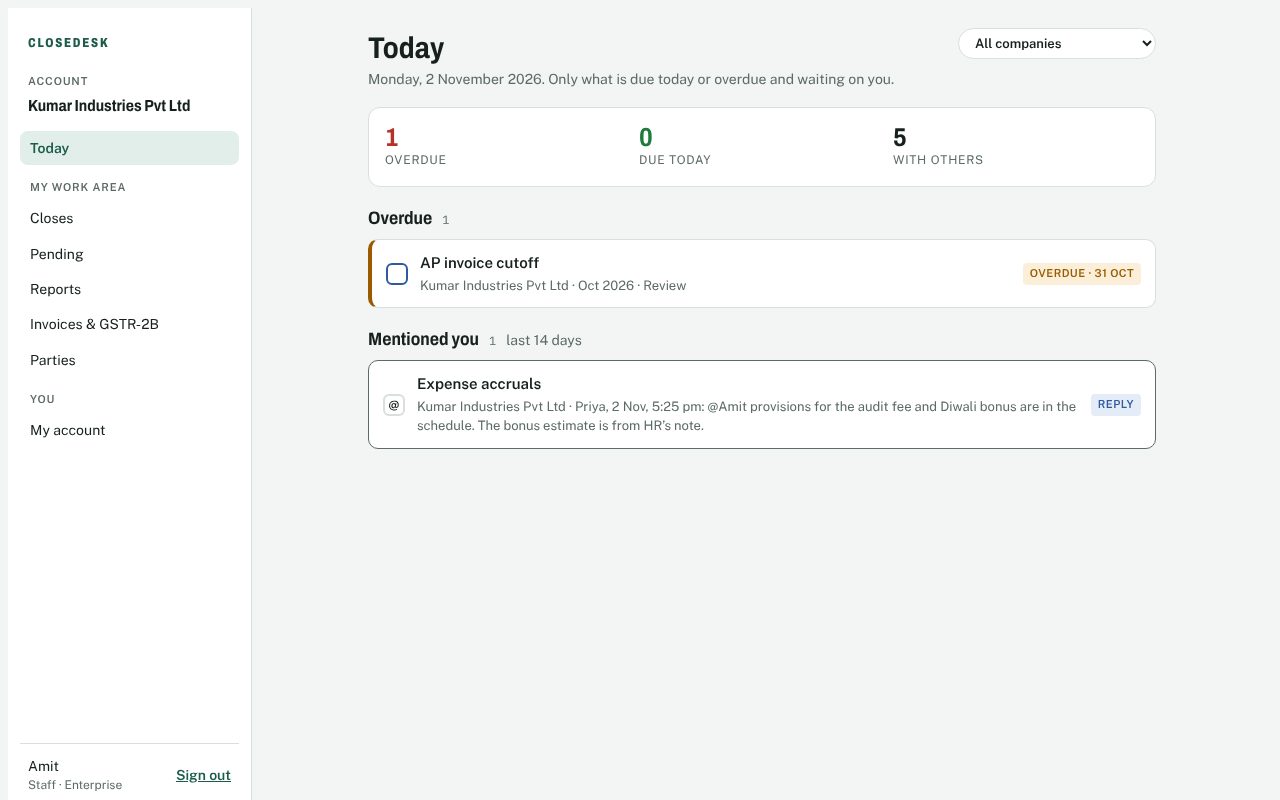
Everyone lands on My Workarea: what is waiting on them today, tomorrow, this week or this month, across every company. Staff managers see the whole team and filter by person.
Month-end close · GST · Reconciliations
CloseDesk turns your close into a checklist with owners, due dates and sign-offs. Preparers, reviewers and approvers each see what is waiting on them today, and you see the whole close at a glance.
Free for one company and two people. No card needed. The demo needs no sign-up at all.
Most month-end closes run on a tracker sheet, a chat group and a lot of follow-ups. CloseDesk keeps the plan, the work and the evidence together.
Everyone lands on My Workarea: what is waiting on them today, tomorrow, this week or this month, across every company. Staff managers see the whole team and filter by person.
Each task moves from preparer to reviewer to approver. The server checks who may sign each step, keeps preparers from approving their own work and locks signed-off tasks.
Build a reconciliation line by line, see the unexplained difference, and check open AP and AR invoices against the subledger before you sign.
Upload GSTR-2B and match it to your purchase register. See input tax credit at risk by supplier before you file.
GST, TDS and other filings sit in the close with their legal due dates, moved for weekends and your holiday list.
Comment on a task, @mention a colleague and attach the workpaper. Every step is in the task’s log.
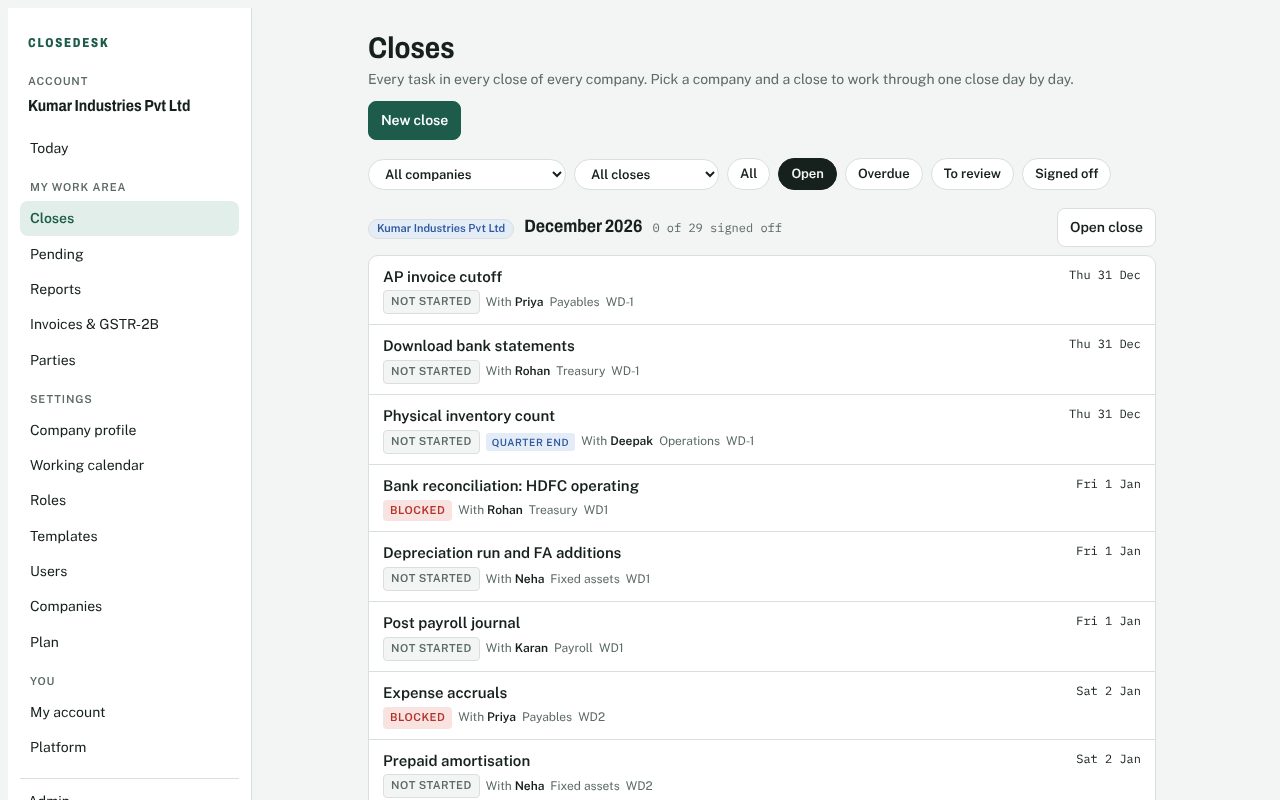
Accountants and groups close several companies at once. See every task in every close, then narrow to one company, one close, or both. Create next month’s close for all your companies in one go: each gets its own checklist from its own template, roles and calendar.
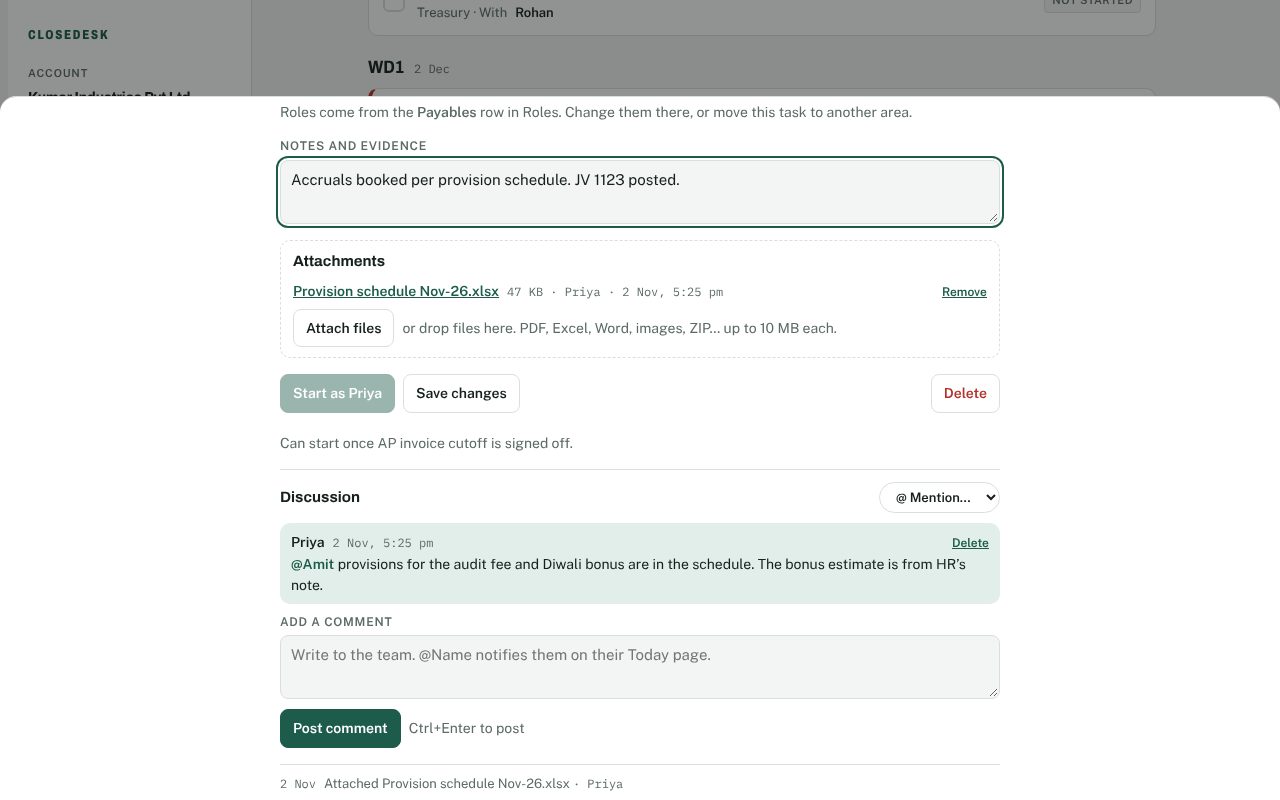
No more hunting through email for the provision schedule. Attach files to the task, ask the reviewer a question with an @mention, and see who did what, and when, in the log.
Start free. Upgrade when you add companies or people.
Set up your company in a few minutes. The standard close template, roles and Indian holiday list are ready to go.
Create your free account